



- Your audio uploaded to a third-party cloud
- A wall of text with no idea who's speaking
- API keys, accounts, and per-minute fees
- Confidential calls living on someone else's server
← All projectsTranscription Studio · Native · On-device
Transcribe the room. Know who said what.
A native Mac and iPhone app that turns a meeting, a call or a recording into a labeled, timestamped transcript. It recognizes the speech and tells the speakers apart, entirely on your device. No cloud transcription service, no API keys, no third party ever hearing the audio.
Why it exists
Transcription makes you choose one or the other.
The convenient tools upload your audio to someone else's servers. The private ones can't tell two speakers apart. Transcription Studio refuses the trade. Who said what, entirely on your own device.
- Every stage runs on your Mac or iPhone
- A labeled who-said-what transcript
- No keys, no third-party service, no usage fees
- Your library lives in your own FCT account, nobody else's
What it does
One local engine, two jobs.
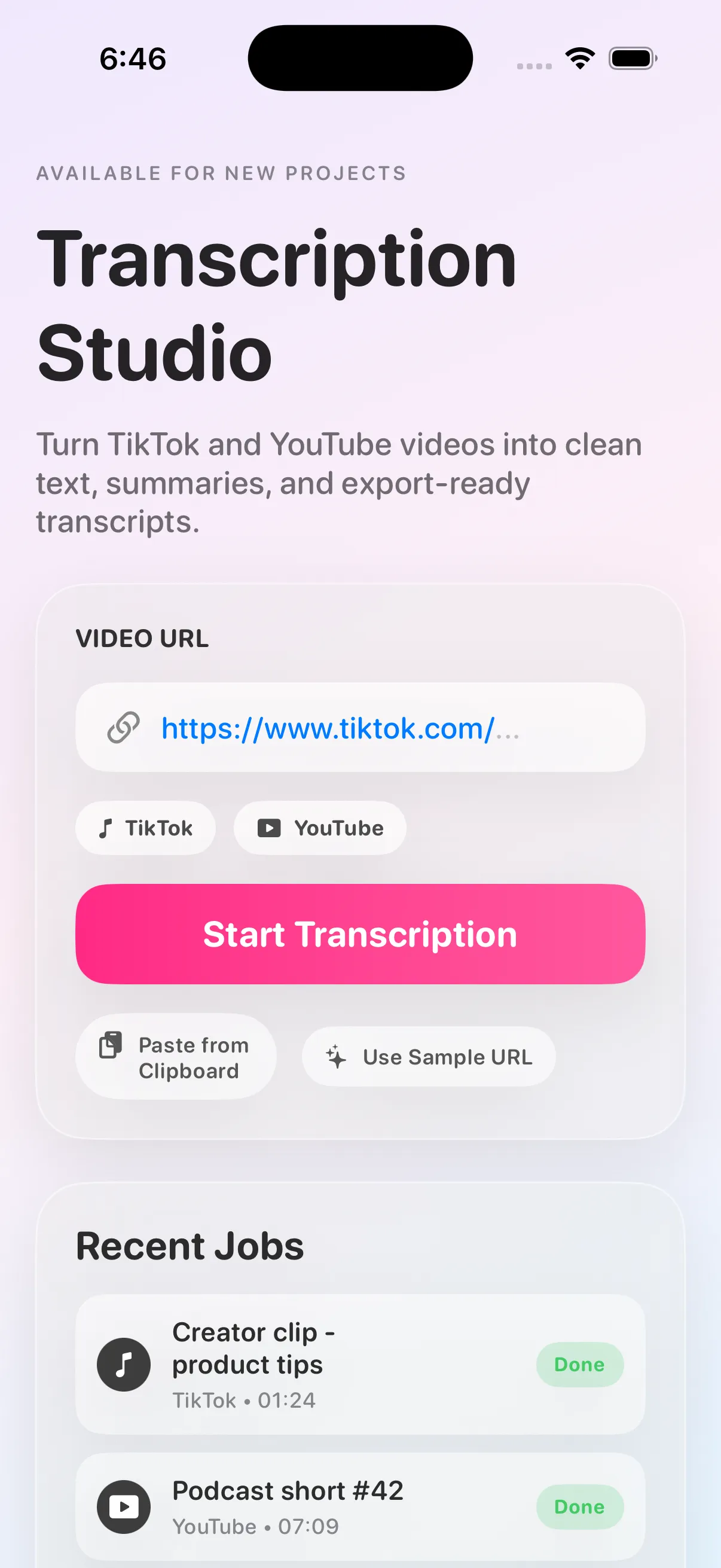
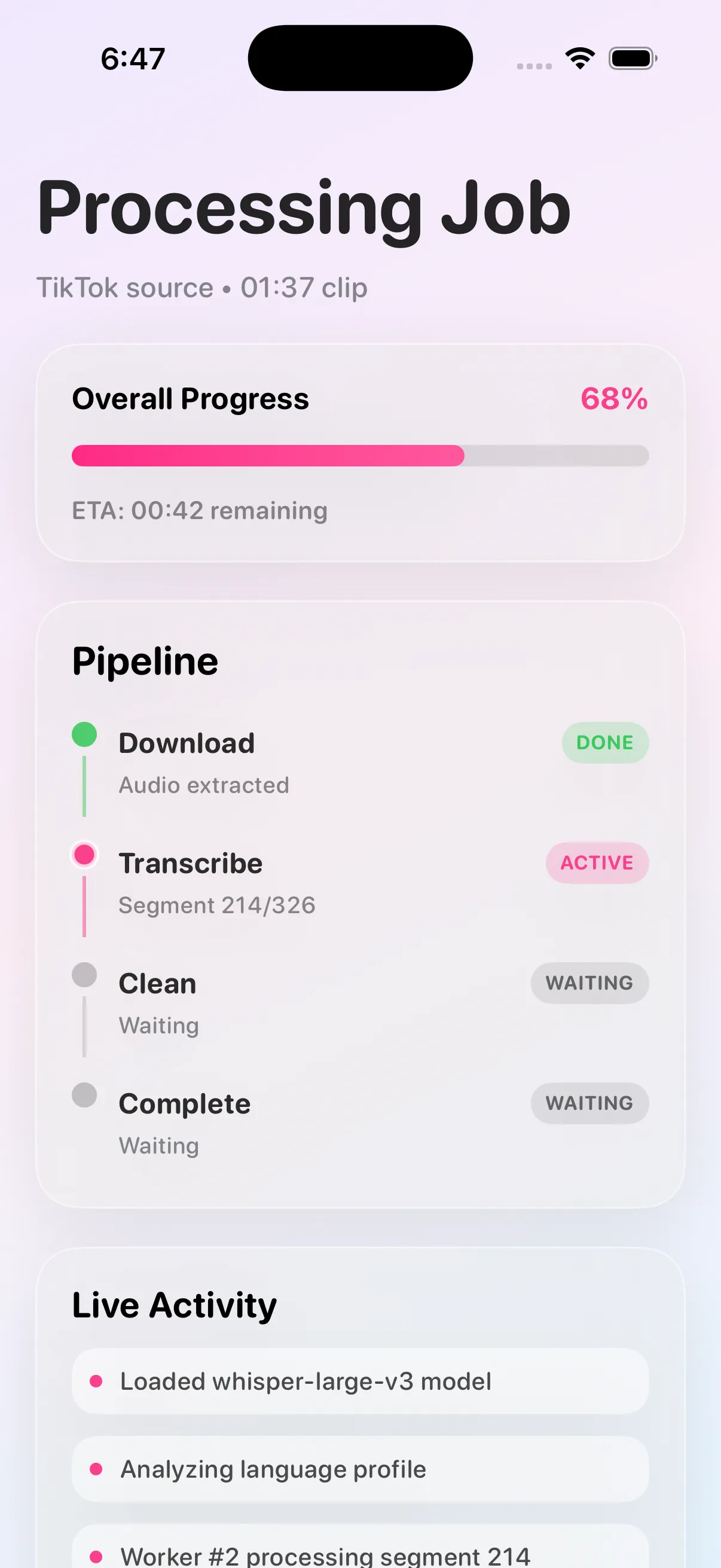
On the Mac, paste a public URL or drop a media file. On iPhone, pick a file. You watch the progress through each stage and get a clean transcript back.
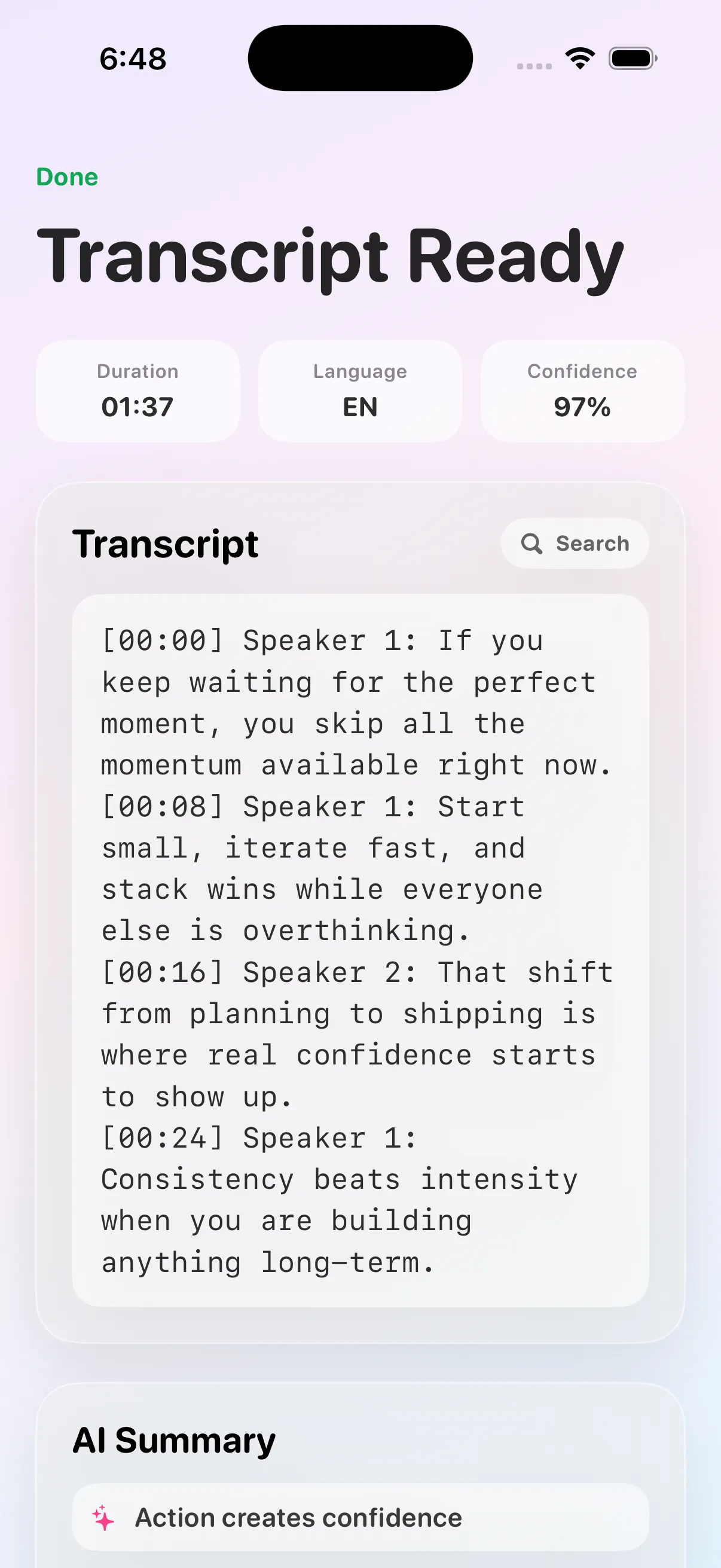
Record live and get a timestamped transcript back with the speakers labeled (Speaker 1, Speaker 2, and so on), worked out on the device. Two ways to capture: the microphone for a room or a speakerphone, and system audio to record a call locally.
The engineering
On-device is the hard part. We did the hard part.
Two models running at once on the Apple Neural Engine, no network in the loop, and a speaker model we had to bring on-device ourselves.
The re-export
Telling speakers apart on the device runs on NVIDIA's Sortformer model, and the public Core ML version of it wouldn't load on any current toolchain. It crashed on load, on every runtime we tried. Rather than drop the capability, we re-exported the model from NVIDIA's original checkpoint with the current export tools, verified it loads clean, and cross-checked its output against a second, independent model before shipping it into the app. That's the difference between assembling components and building software.
WhisperKit, on-device
Core ML Whisper for speech recognition. The model downloads itself on first use, then never touches the network again.
NVIDIA Sortformer diarization
A streaming model that tells up to four speakers apart, running locally on the Apple Neural Engine. The 'who' in who said what.
Re-exported from the source model
The public Core ML version of Sortformer wouldn't load on any current toolchain, so we re-exported it from NVIDIA's original checkpoint ourselves.
Two models at once, measured
Transcription and speaker separation run at the same time on the same Neural Engine. We measure the slowdown and the heat, so running both stays honest.
Two capture paths
Microphone via AVFoundation for a room or speakerphone, and system audio via ScreenCaptureKit to record a Zoom or Meet call locally.
One engine, no window needed
A command-line tool drives the identical pipeline. It is the same engine that powers FCT's own transcription.
Trust, not vibes
Every label is verifiable.
A speaker label is only useful if you can check it. The app is built to be checked. The model's raw output is in reach, and an automated test suite guards it on every build.
Speaker-activity heatmap
The model's raw per-frame output, visualized: see exactly where it heard each speaker.
Click any segment to play it
Judge a label by ear in one click. Provisional labels are visually distinct from committed ones.
A/B against a second diarizer
Run the same session through an independent diarizer and compare the two timelines side by side.
Verified on every build
A known-answer audio gate, a synthetic ground-truth attribution test, and an independent cross-check. The model is measured, never assumed.
Where it stands
Transcription Studio's native app is built and in daily internal use: an engineering showcase, not an App Store product. Live capture on real hardware is still being verified by hand, so we say it plainly. This is how FCT builds when the point is craft, not a listing you can download today. What's public right now is the open-source web engine below.
Where it started
The open-source engine it grew from.
Before the native app, Transcription Studio was a small, self-hosted web service: Faster-Whisper behind a FastAPI backend, local-first, open source under MIT. It still runs as the transcription layer inside FCT's own operating system.
FAQ
Transcription Studio, answered
01 What is Transcription Studio?
Transcription Studio is a native app from FCT Technologies that turns a recording into a transcript that knows who was speaking. It runs on macOS and iPhone from one codebase and does the entire job on your device. One model recognizes the speech and a second one tells the speakers apart, so a meeting, a call or a room recording becomes a labeled, timestamped who-said-what transcript. No transcription service is involved at any point. There is no cloud provider, no API key, and no third party that ever receives the audio. Storage is a separate question, and we answer it plainly rather than let the on-device claim imply it: the app requires an FCT account, and your library (sessions, transcripts and the recordings themselves) is stored in that account so it reaches your other devices. On the Mac it can also take a public URL or a dropped media file. On iPhone it works from files. It grew out of FCT's open-source transcription web engine, which still runs behind the company's own workflows and is published under the MIT license at github.com/fcttechnologies/TranscriptionStudio-Web, so the lineage is readable rather than asserted. The native app is built and in daily internal use. It is not currently sold or listed on the App Store.
02 How does the speaker diarization work, and can I trust it?
Diarization is working out who spoke when. It is handled by NVIDIA's streaming Sortformer model, which tells up to four speakers apart and runs locally on the Apple Neural Engine. Getting it on the device took real work. The public Core ML version of Sortformer would not load on any current toolchain, so FCT re-exported the model from NVIDIA's original checkpoint with the current export tools. Because a speaker label is only useful if you can verify it, the app is built to be checked rather than believed. An Inspector shows the model's raw output (a per-frame speaker-activity heatmap, recognition confidence, and per-stage latency) and lets you click any segment to play its audio and judge the label by ear, or run the same session through a second, independent diarizer and compare the two timelines. Underneath, an automated test suite guards every build with a known-answer audio gate, a synthetic ground-truth attribution test, and a cross-check that fails loudly on disagreement.
03 Is my audio private with Transcription Studio?
Yes. Privacy is the whole design. Every stage runs on your own device: the speech model, the speaker model on the Apple Neural Engine, and the media handling through local tools. No outside provider is ever in the loop and there are no API keys, so the audio is never handed to a transcription service. Storage is the separate question, and the app is explicit about it. An FCT account is required, and your library (sessions, transcripts and the recordings themselves) is stored in it so it reaches your other devices. What matters for sensitive material is that FCT is the only party that ever holds it, and no transcription vendor is in the loop at all. That makes it a fit for client calls, interviews and internal meetings, where handing audio to a hosted service is not acceptable. When capturing a call's system audio on macOS, the app asks for the standard screen-recording permission, and you stay in control of what is captured. The open-source web engine that Transcription Studio grew from follows the same local-first principle and is published under the MIT license, so you can read exactly what it does.
04 Can I run the open-source engine myself?
Yes. Before the native app, Transcription Studio was a small, self-hosted web service, and that engine is still open source under the MIT license at github.com/fcttechnologies/TranscriptionStudio-Web. It runs Faster-Whisper locally behind a FastAPI backend, with yt-dlp and FFmpeg handling media download and preparation, and it is comfortable on a 16 GB Mac mini with no GPU. You paste a link or drop a file and get a clean transcript back, through the one-link web page or a JSON API you can automate against. It runs on macOS, Linux or Windows and you can self-host it in an afternoon. It still runs inside FCT's own operating system as the transcription layer behind every 'transcribe this' request.
This is how FCT builds.
On-device models, honest verification, and native craft, not a cloud wrapper. If that's the software you need built, let's talk.
SwiftUI (Mac + iOS)WhisperKitNVIDIA SortformerApple Neural EngineAVFoundationScreenCaptureKityt-dlp + FFmpegSwift CLI